Every professional detailer knows the feeling. You're standing at the mixing station, bottle of all-purpose cleaner in one hand, phone calculator in the other, trying to remember whether 10:1 means 10 parts water or 10 parts total. You've got sticky notes on the wall, a manufacturer chart somewhere in a drawer, and a nagging suspicion that you mixed last week's batch a little too strong. Sound familiar?
A new iOS app called Detailing Alchemist — built by Little Big Cloud Inc. and available now on the App Store — aims to eliminate this kind of guesswork entirely. It's a chemistry toolkit designed specifically for car detailing professionals and serious enthusiasts, and after spending time with it, we think it's a genuine game-changer for anyone who cares about precision in their work.
Full disclosure: Detailing Alchemist is built by Little Big Cloud, the same team behind this website. We use it every day in our own shop and genuinely rely on it — but you should know that relationship as you read this review.
What Is Detailing Alchemist?
Detailing Alchemist is a native iPhone app (iOS 17+) that puts dilution calculators, pH science, foam cannon calibration, product inventory tracking, safety data sheets, and a stain removal wizard into a single, offline-capable tool. There are no ads, no account required, and the interface runs in dark mode — which, if you've ever tried reading a bright white screen in a dimly lit garage, you'll appreciate immediately.
The app's core philosophy is simple: replace mental math, sticky notes, and manufacturer lookup tables with precise, instant calculations backed by real chemistry.
The Dilution Calculator: No More Guessing Ratios
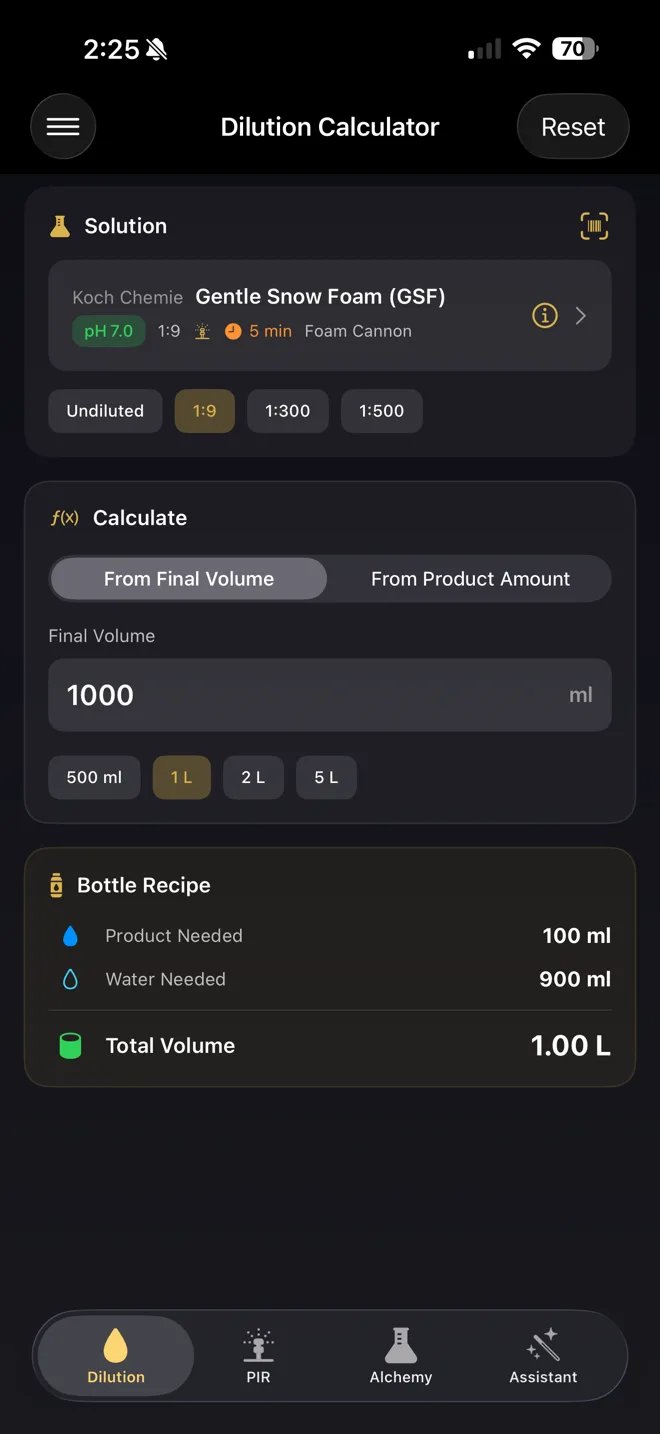
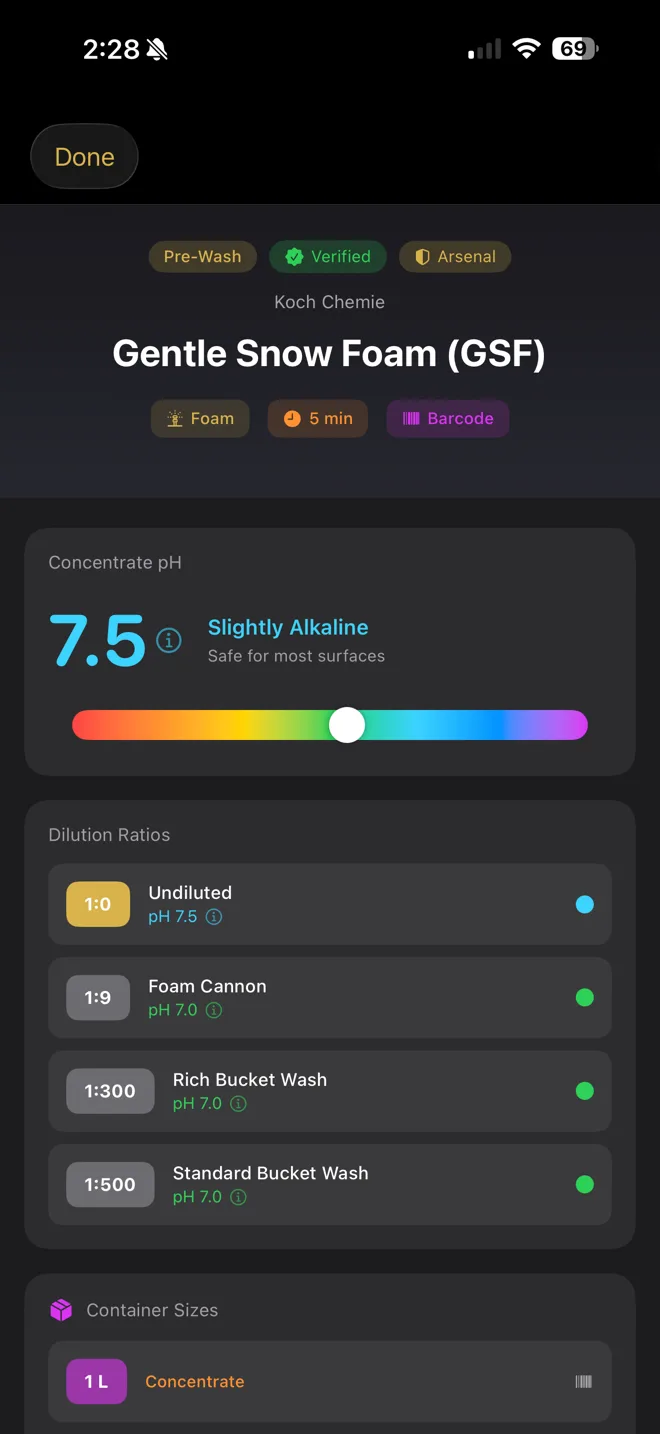
This is the feature most detailers will reach for first — and it's the one available for free. Select from a database of over 400 pre-loaded products from brands like Koch Chemie, Bilt Hamber, IGL Coatings, P&S, Gtechniq, Sonax, and 303 Products, or enter a manual ratio. The calculator gives you exact product and water amounts for your target volume, supports metric and imperial units, and even shows the resulting pH after dilution.
What makes this more useful than a generic ratio calculator is the product awareness. Each entry comes with all of its recommended dilution ratios — so you're not hunting through a product label or PDF to figure out what ratio to use for a wheel cleaner vs. an all-purpose degreaser. Select the product, pick the application, set your volume, and you have a precise mix in seconds.
PIR Calculator: Know What's Actually Hitting the Paint
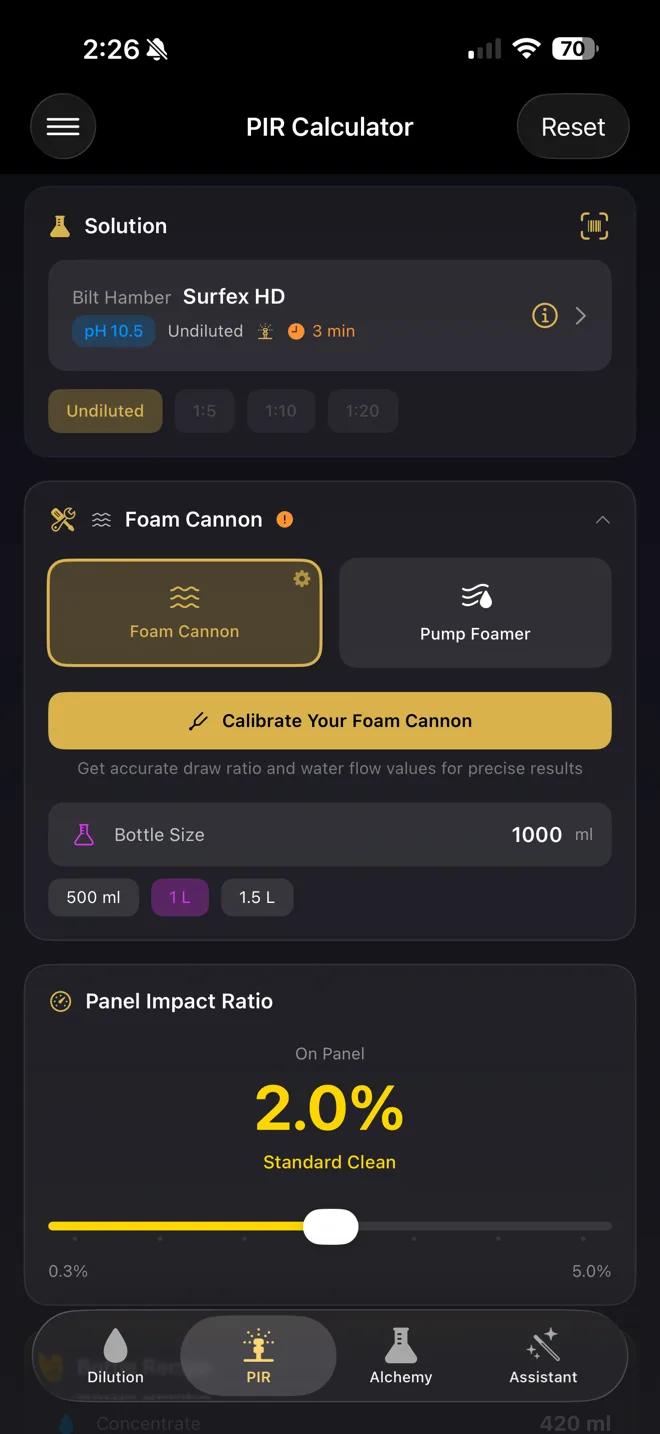
This is where the app gets into territory most detailers haven't thought about. PIR — Product Injection Ratio — measures the actual concentration of chemical reaching the panel through your foam cannon or pump foamer. Your dilution ratio is one thing, but the foam cannon introduces its own dilution factor. The PIR calculator accounts for both, giving you a true picture of chemical strength on contact.
The app includes a 60-second calibration wizard for your specific foam cannon setup. Once calibrated, the results persist across all your calculations. A color-coded strength indicator lets you immediately see whether your mix is mild, moderate, or aggressive — critical information when you're working on delicate clear coats or ceramic-coated surfaces.
pH Calculator: Real Chemistry, Not Simple Averaging
If you've ever wondered what happens when you mix an acidic wheel cleaner with an alkaline APC, this tool gives you the answer. The pH calculator uses actual hydrogen and hydroxide ion concentration math — not a simple average of two pH values, which would give misleading results. You can mix unlimited liquids, pull products directly from the database, and see the resulting pH with color-coded classification.
For detailers working with ceramic coatings and PPF, pH awareness isn't optional. Using a product that's too acidic or too alkaline can compromise a coating or damage film adhesive. Having instant pH predictions before you mix means fewer mistakes and more consistent results.
400+ Products at Your Fingertips — Plus Your Personal Arsenal
The product database is the backbone of the app. Over 400 products from major detailing manufacturers are pre-loaded with pH values, dilution ratios, dwell times, and Safety Data Sheets. You can sort by category, pH range, manufacturer, or favourites, and create custom product entries for anything not in the database.
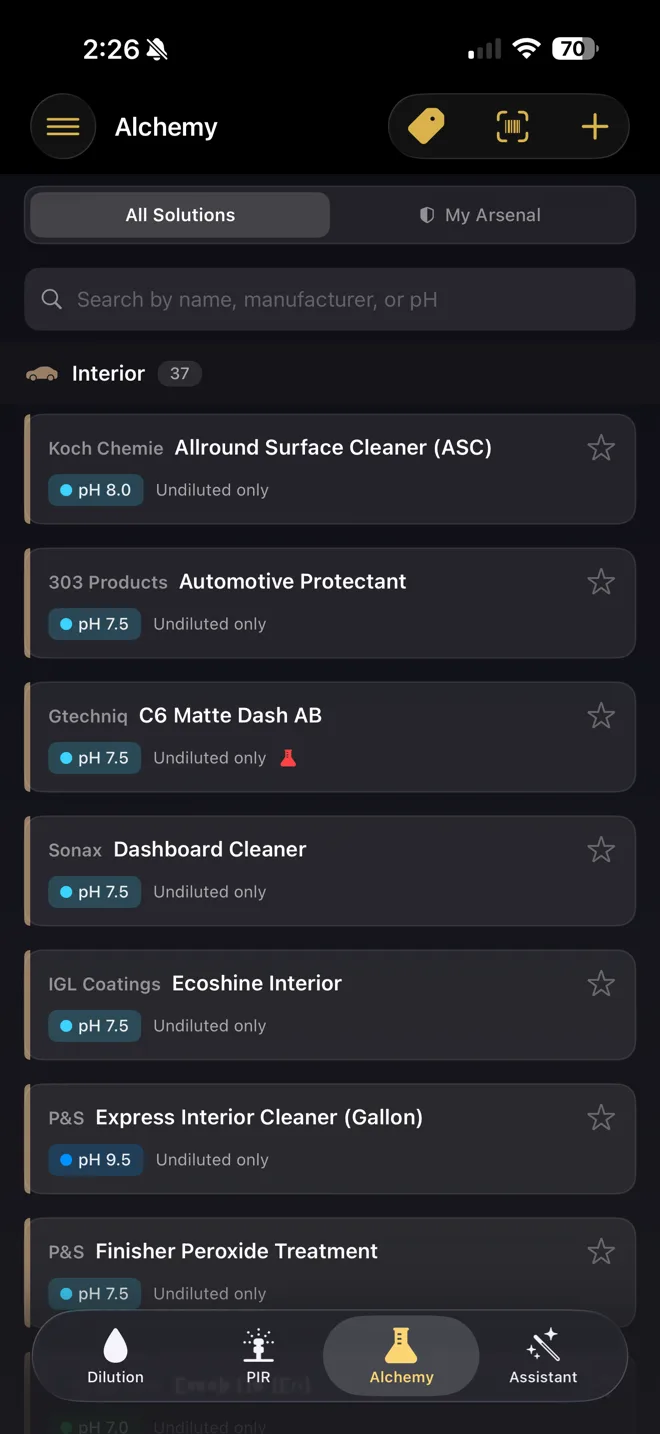
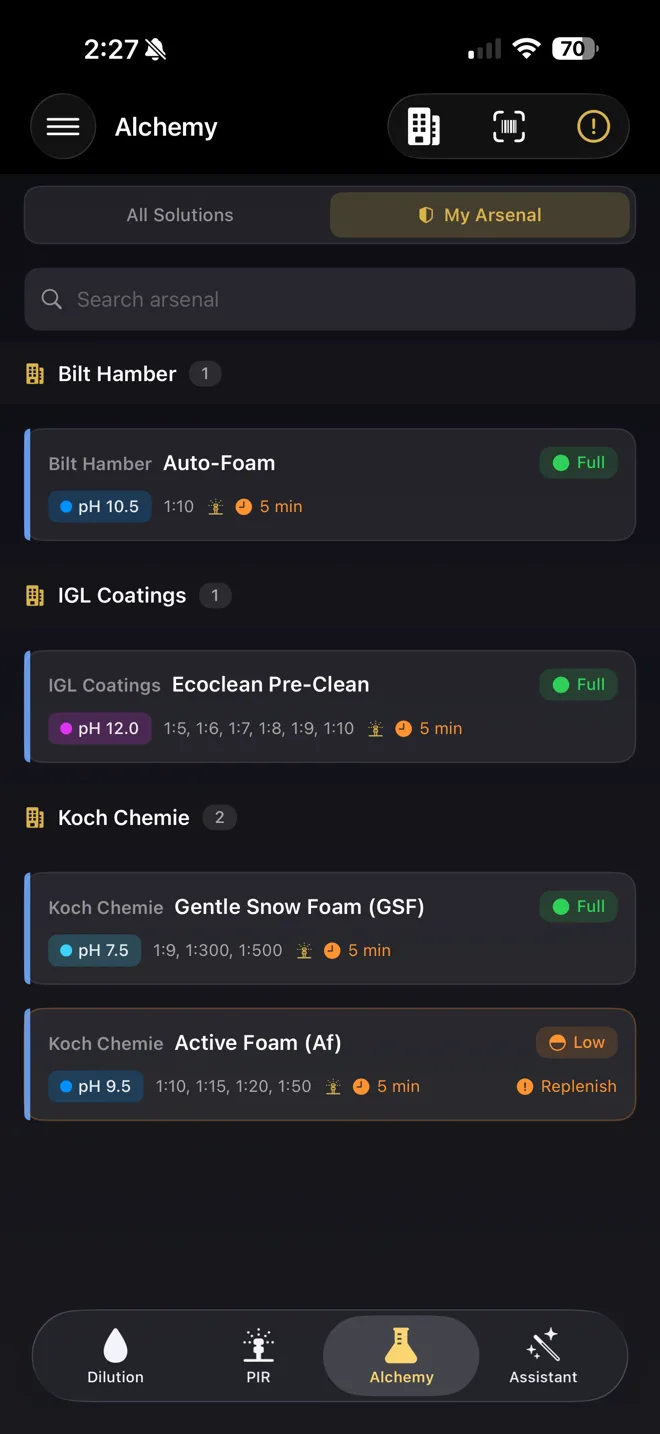
The "My Arsenal" feature turns the database into a personal inventory tracker. Mark what you own, track stock levels (Full, Half, Low, Empty), set replenishment flags so you know what to reorder, and auto-download SDS files for offline access. If you've ever arrived at a job and realized you're out of a critical product, this alone could justify the subscription.
- 400+ pre-loaded products from Koch Chemie, Bilt Hamber, IGL Coatings, P&S, Gtechniq, Sonax, 303, and more
- Create, edit, and duplicate custom product entries
- Barcode scanner for instant product lookup using your camera
- Stock level tracking with replenishment flags
- Offline SDS access for workplace safety compliance (OSHA/COSHH)
Detailing Assistant: A Stain Removal Wizard in Your Pocket
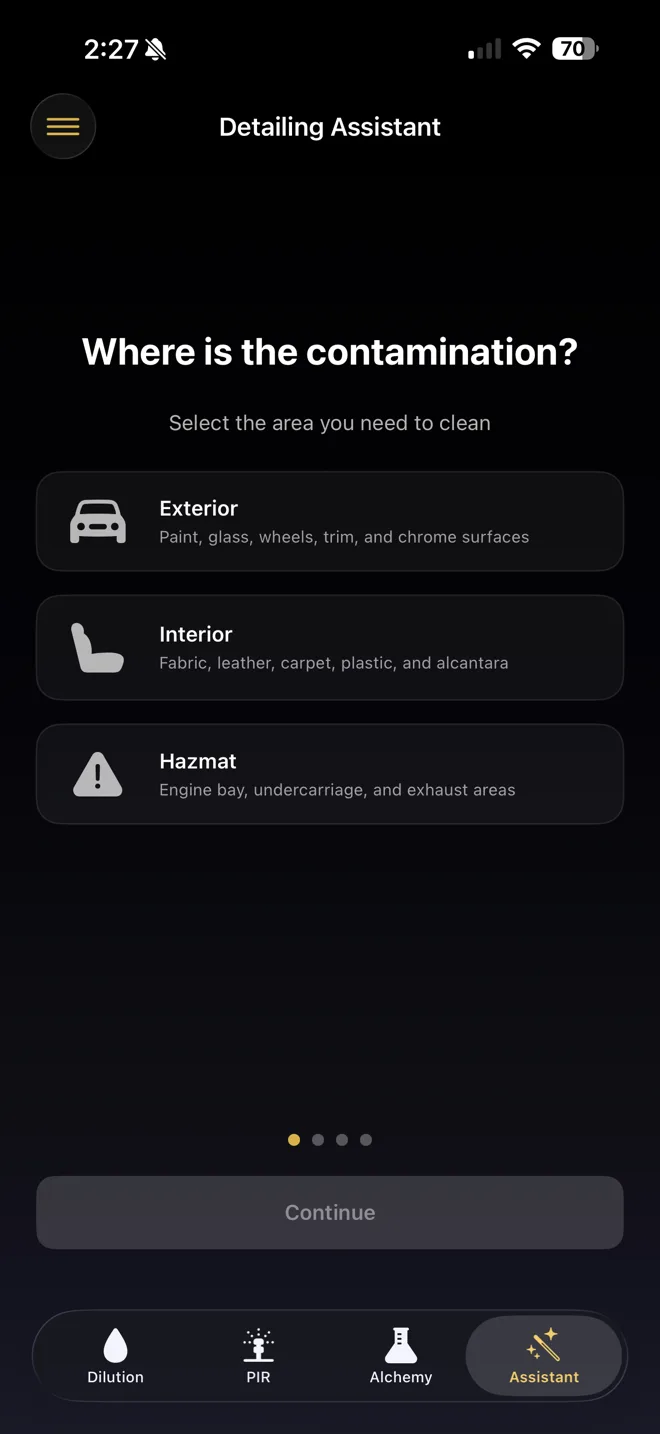
Every detailer eventually faces a stain they're not sure how to tackle. The Detailing Assistant is a step-by-step wizard that guides you through stain identification and removal. Select the location on the vehicle, the surface type, the stain category (22 types across three contamination zones), and the severity level. The app returns tailored cleaning instructions with matched products from the database.
What's particularly clever is the arsenal matching. If you've set up your inventory in My Arsenal, the assistant highlights products you already own that can do the job — so you're not looking at recommendations for products you'd need to order first. It also includes safety tips and PPE recommendations for each procedure, which matters when you're working with stronger chemicals.
Dwell Timers, Unit Conversion, and Calibration
Rounding out the toolkit are a set of practical utilities. The dwell timer is product-aware — select a product and its recommended dwell time auto-populates, with audio alerts so you don't have to keep checking the screen. The unit converter handles ml, litres, fluid ounces, and gallons. And the foam cannon calibration wizard (mentioned above) takes about 60 seconds and saves your equipment profile for future calculations.
What Does It Cost?
Detailing Alchemist offers a free tier that includes the dilution calculator with manual ratio entry, unit converter, detailing guidelines, and both metric and imperial support. That's enough to be genuinely useful on its own.
The Pro tier unlocks the full toolkit — the complete product database, pH and PIR calculators, My Arsenal, barcode scanner, Detailing Assistant, dwell timers, and the SDS library — for $9.99 per year. That includes a year of updates and new product additions. For a tool you'll use on every job, it's a no-brainer.
How This App Helps You Perfect Your Craft
Detailing is one of those trades where the difference between good and exceptional comes down to precision. Using a product at the right dilution means better results with less waste. Understanding the actual chemical concentration hitting a panel means safer, more effective cleaning. Tracking your inventory means never being caught short on a job. And having a stain removal reference at your fingertips means faster, more confident decisions.
“In our shop, precision isn't optional — it's the standard. Every product gets mixed to spec, every process has a reason behind it. Tools that reinforce that discipline are tools worth having.”
— Kamil Matynia, Garage Knights
Whether you're a seasoned pro running a busy shop or a weekend warrior building your skills, Detailing Alchemist puts chemistry on your side. It's the kind of tool that doesn't just make your day easier — it makes your work better.
Frequently Asked Questions
Is Detailing Alchemist available on Android?
Currently the app is iOS only, requiring iOS 17 or later on iPhone. There's no Android version announced at this time.
Do I need an internet connection to use the app?
No. Detailing Alchemist works fully offline — including the product database, calculators, and downloaded Safety Data Sheets. No account is needed either.
Is the free version useful without upgrading to Pro?
Yes. The free tier includes the dilution calculator with manual ratio entry, a unit converter, and detailing guidelines. It's a solid starting point. Pro adds the full product database, advanced calculators, inventory tracking, and the stain removal assistant.
What brands are included in the product database?
The database includes over 400 products from brands like Koch Chemie, Bilt Hamber, IGL Coatings, P&S, Gtechniq, Sonax, 303 Products, and more. You can also add custom products.
How is the PIR calculator different from the dilution calculator?
The dilution calculator tells you how to mix product and water in a bucket or bottle. The PIR calculator goes further — it accounts for the additional dilution that happens when product passes through a foam cannon or pump foamer, showing you the actual chemical concentration reaching the vehicle's surface.
Kamil is the founder and lead technician at Garage Knights, Ottawa's appointment-only detailing and paint protection studio. He is AMMO Academy and Rupes Academy trained and a certified CKWraps / Flexishield PPF installer. More about Kamil →